
Recording on this Mac
Start recording in the menu records a call, a meeting or anything else on this Mac into the archive, as one more recording. Once stored it is transcribed, then cleaned up, named and summarised like a recording from Plaud, and listed in Recordings.
Tell the people you record. Recording someone without telling them may be against the law where you or they are, and it is up to you to ask.
What is recorded
The audio is always the microphone (the system’s default input) mixed with everything the Mac plays: the other side of a call in any app or browser, a video, music. It is taken before it reaches the speakers, so it is the same with headphones, wired or Bluetooth, and does not depend on the volume. Only My Plaud’s own player is left out.
The audio is one channel of Ogg Opus, about 15 MB an hour.
The three modes
| Mode | How to start it | What you get |
|---|---|---|
| Audio | Start recording | audio.ogg |
| Audio and screen | The menu at the right end of Start recording | audio.ogg and video.mov of one display |
| Audio and window… | The same menu | audio.ogg and video.mov of one app window |
For a video, the macOS picker asks which display or window; cancelling it starts nothing. The choice is not remembered: a video is asked for each time. The audio is the same in all three modes.
The video
video.mov is HEVC with the same sound, at most 15 frames a second and 1920 points on its longer side, about 700 MB an hour. It needs 5 GB of free disk space to start and ends when less than 1 GB is left. It plays in any player. Only the audio is transcribed.
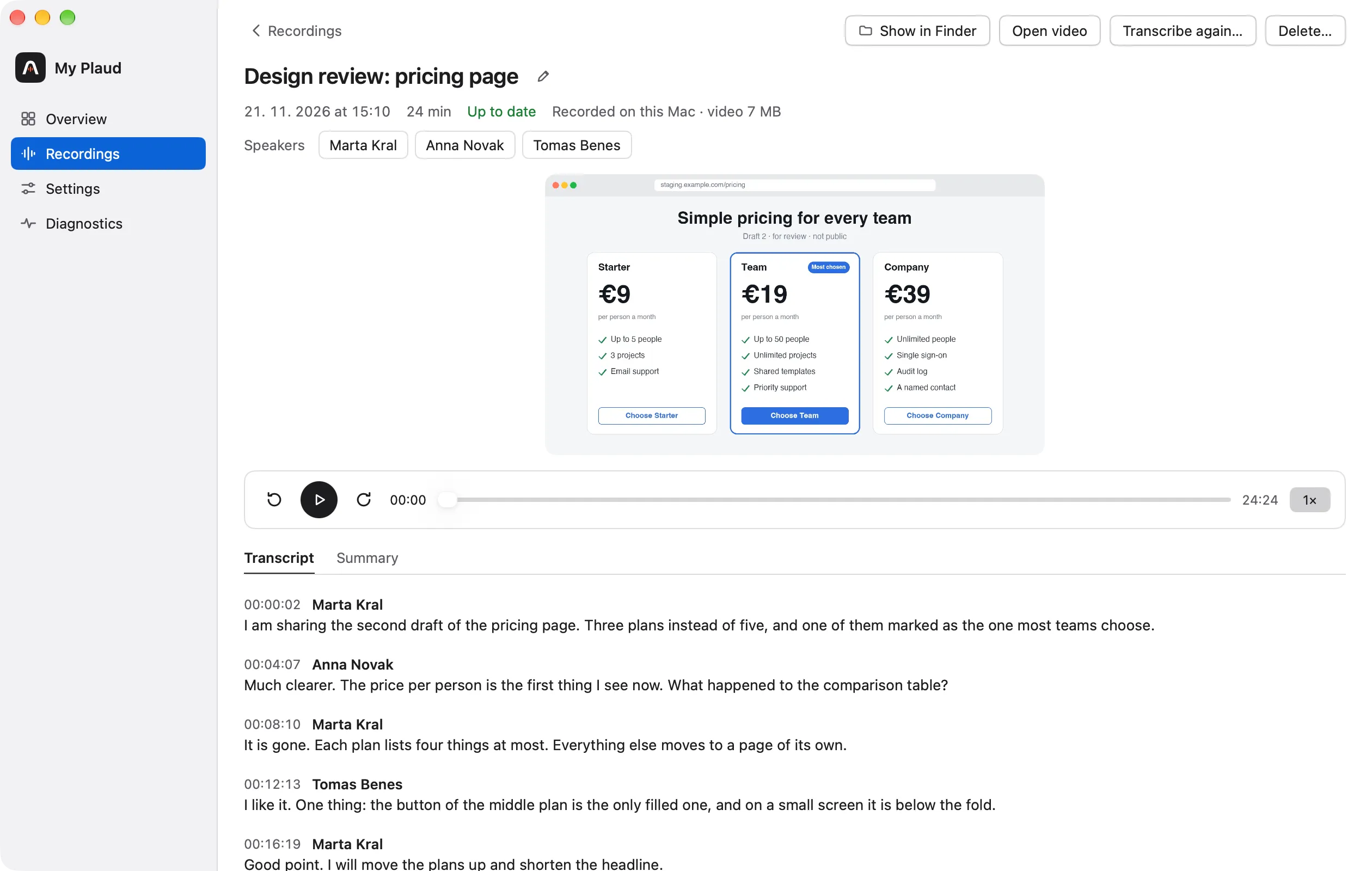
The recording’s detail shows the video above the player bar and plays it in step with the transcript; Open video opens it in the default player.
Pause, Resume, Stop
While paused nothing is recorded and the microphone is let go; neither file contains the pause. Stop stores the recording, with no confirmation. A recording shorter than two seconds is discarded.
A sync or a transcription can run while you record. Start begins recording at once, whatever the app is doing.
When it ends by itself
- Quitting the app stores the recording first.
- The Mac going to sleep, a full disk, or the microphone or the Mac’s sound no longer being recordable, stores it and sends a notification.
- Plugging in or switching headphones goes on in the same file.
- When the recorded window is closed, the display disconnected or the disk nearly full, the video ends there and the audio goes on.
- After a crash, the next launch stores what was written.
Permissions
macOS asks on the first Start recording, not at launch.
| Permission | Where in System Settings, Privacy & Security | Needed for |
|---|---|---|
| Microphone | Microphone | Every mode |
| System Audio Recording Only | Screen & System Audio Recording | Every mode |
| Screen Recording | Screen & System Audio Recording | Audio and screen, Audio and window… |
A refused permission shows as a warning in the menu, with Open System Settings opening its pane. Without Screen Recording, audio-only recordings still work. While recording, macOS shows its orange microphone indicator, and its screen-sharing indicator while a video is recorded.
Where it goes and what is sent
A recording made here is an archive folder like any other (2026-11-21_1405/). A sync never downloads it, checks it or marks it as removed. Delete… moves the folder to the Trash, the video with it.
Nothing of a recording made here is sent to Plaud. Its audio goes to the speech-to-text provider you chose and its transcript to the model provider, as for a recording from Plaud. The video is sent to no one. See Privacy.