
Settings
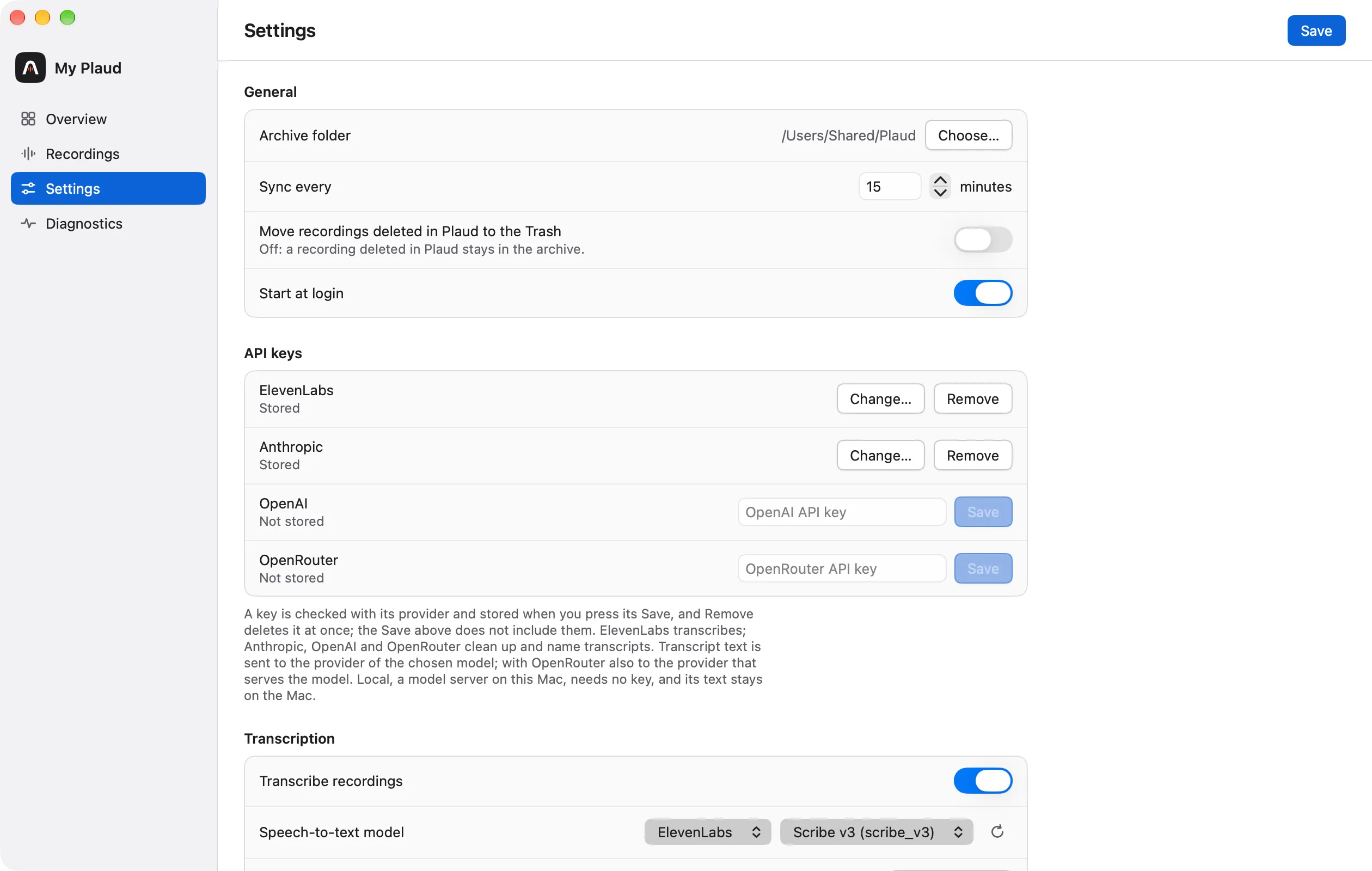
The Settings pane (in the sidebar, or ⌘,) holds General, API keys, Transcription and Cleanup and names in one form with one Save. “Start at login” and the API keys apply at once and are not part of that Save.
General
| Setting | What it does |
|---|---|
| Archive folder | Where the recordings are stored; ~/Plaud by default |
| Sync every … minutes | The interval between syncs; 15 by default |
| Move recordings deleted in Plaud to the Trash | Off by default: a recording deleted in Plaud stays in the archive, marked as removed. See Recordings |
| Start at login | Starts the app when you log in to the Mac |
macOS does not let background apps read Documents, Desktop, Downloads or iCloud Drive freely, so the archive folder must be elsewhere; the folder picker refuses those places.
API keys
One row each for ElevenLabs, Anthropic, OpenAI and OpenRouter. Local needs no key and has no row.
Paste a key and press the row’s Save: it is checked with the provider and stored at once, and nothing is stored when the provider refuses it. A stored key shows “Stored” with Change… and Remove. Any of the keys can be stored at the same time, and one provider’s key serves both transcription and cleanup when it does both.
Each key is kept in its own file that only you can read, and is never written to the log or to the settings file. See Files.
Transcription
| Setting | What it does |
|---|---|
| Transcribe recordings | The switch for transcription as a whole |
| Speech-to-text model | A provider (ElevenLabs, OpenAI, OpenRouter or Local), then one of its models |
| Language | The language of the recordings, or automatic |
| Key terms | Names and words the model should know, one per line (ElevenLabs and OpenRouter) |
| Warn below … hours | When to warn that the ElevenLabs balance is low |
| Delete the transcript at ElevenLabs after saving | On by default |
| Recognise speakers from the ElevenLabs speaker library | See Speakers |
| Give up after … attempts | How often a failing recording is tried before it is marked failed; 3 by default |
| The model’s files (Local) | Download and Remove for the Whisper model |
A provider without a stored key is not offered. The fields of the provider not chosen are hidden and keep their values, and each provider keeps its model when you switch back. See Transcription.
Cleanup and names
| Setting | What it does |
|---|---|
| Clean up and name transcripts | The switch for the feature as a whole |
| Cleanup model | Cleans each transcript turn by turn; None turns the step off |
| Summary model | Writes the recording’s name and summary; None turns the step off |
| Local server | The address of the model server on this Mac, shown while Local is chosen |
| Add the name to the folder | Adds the name after the date and time of the recording’s folder |
See Cleanup, names and summaries.
Diagnostics
Diagnostics is a pane of its own, with one line per check.
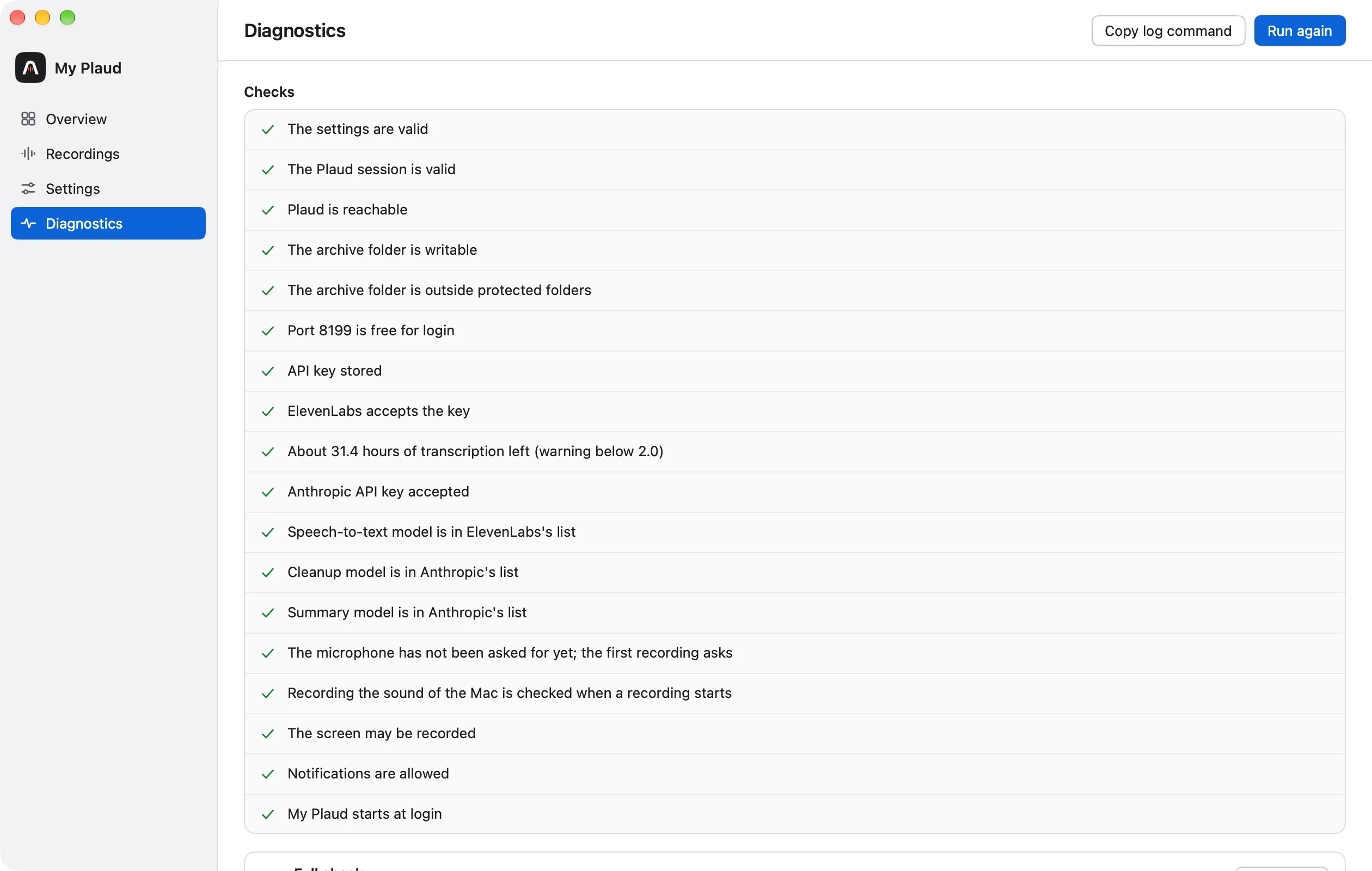
It checks the settings, the Plaud session, that Plaud is reachable, the archive folder, port 8199 (used for logging in), each stored key, the ElevenLabs balance or the local speech model, that the chosen models are still in their providers’ lists, that the local model server answers when Local is chosen, the microphone, system audio and screen recording permissions, notifications and the login item.
- Run again repeats the checks.
- Full check verifies every local audio file against its checksum and downloads damaged ones again.
- Copy log command copies the command that shows the app’s log in Terminal.